Updated: June 2026
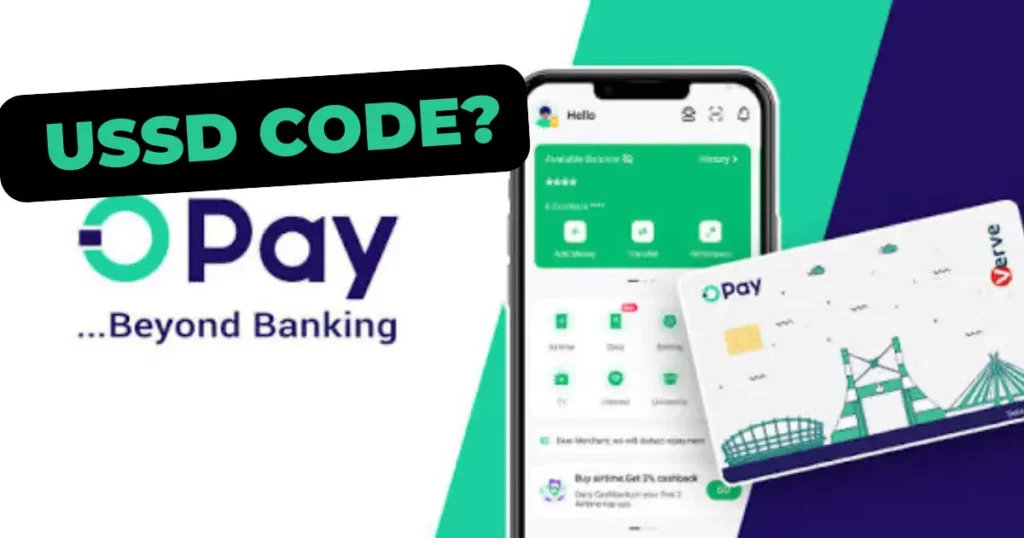
If you need to send money, buy airtime, or check your OPay balance without internet, the OPay USSD code 955# is how you do it – on any phone, any network, no data required. Most people who search for this either need the codes right now or their USSD has stopped working and they need to know why. This article covers both. You will find the complete OPay USSD code list first, a step-by-step guide for common transactions, and a practical diagnosis of every failure pattern – including what to do when money leaves your account but never arrives at the destination.
The Complete OPay USSD Code List (2026)
Dial any of these codes directly from your phone’s call dialer. No internet connection required. These codes work on MTN, Airtel, Glo, and 9mobile, though session reliability varies by network – more on that below.
| Transaction Type | USSD Code |
|---|---|
| Start / Main Menu | *955# |
| Transfer – OPay to OPay | *955*1*Amount*10-digit account# |
| Transfer – OPay to other banks | *955*2*Amount*10-digit account# |
| Airtime top-up (yourself) | *955*3*Amount# |
| Airtime top-up (someone else) | *955*3*Amount*Phone number# |
| Check account balance | *955*0# |
| Data purchase | *955*4*Phone number# |
| Betting / sports funding | *955*5# |
| Get OTP | *955*010# |
| Card activation | *955*03121# |
| Check BVN | *565*0# |
These codes reflect OPay’s currently documented USSD menu structure. USSD menus change with platform updates – always verify current codes by dialing *955# to access the live menu, or visit opay.com/ng for the latest information before performing high-value transactions.
The table above is what most people need. But if you have ever had a USSD session fail mid-transaction, watched money leave your account without reaching the recipient, or found *955# refusing to connect without explanation, the rest of this article will tell you exactly what is happening and what to do about it.
How to Send Money Using OPay USSD – Step by Step
Sending money via USSD takes under two minutes when everything works correctly. Here is the full process for a bank transfer:
Step 1 – Dial the transfer code For transfers to other banks, dial: *955*2*Amount*RecipientAccountNumber# Example: to send ₦5,000 to a GTBank account ending in 1234567890, dial *955*2*5000*1234567890#
For transfers within OPay, dial: *955*1*Amount*RecipientAccountNumber#
Step 2 – Confirm recipient details The system will display the recipient’s name before processing. Verify this carefully. Once you confirm, the transaction moves to processing immediately – there is no recall window.
Step 3 – Enter your PIN You will be prompted for your 4-digit OPay transaction PIN. This is the same PIN used in the app. If you have not set a PIN, you cannot complete USSD transactions – set one via the OPay app first.
Step 4 – Wait for confirmation A successful transaction returns a confirmation message with a transaction reference number. Screenshot or note this reference. If anything goes wrong later, this number is what customer care needs to investigate.
Common friction points at each stage:
At Step 1: The session fails to open – usually a network issue or OPay USSD gateway congestion. Wait 2 minutes and try again. If it persists across three attempts, the problem is likely on OPay’s side, not your network.
At Step 2: The wrong name appears. End the session immediately by pressing the red button or entering 0. Do not proceed. Verify the account number and try again.
At Step 3: Three wrong PIN entries will lock your USSD access. Reset via the OPay app under Settings → Security → Transaction PIN.
At Step 4: “Transaction pending” with no follow-up message. Do not retry immediately – this is the scenario most likely to produce duplicate deductions. Wait 10 minutes before checking your balance. If debited without delivery, see the section below on failed transactions.
Why OPay USSD Works Without Internet – and What That Reveals About the Platform
USSD – Unstructured Supplementary Service Data – operates entirely on a mobile network’s signalling channel, the same infrastructure that carries voice calls. It predates smartphones, predates data plans, and works on the most basic handset manufactured in the last 25 years. When you dial *955#, you are not connecting to the internet – you are opening a direct session between your SIM card and OPay’s banking platform through your network operator’s switch.
This is why USSD remains the most financially inclusive technology in Nigeria’s digital economy. Not because it is sophisticated – it is not – but because it requires nothing beyond a functioning SIM and airtime credit. In a country where smartphone penetration, while growing, still excludes tens of millions of working adults, and where mobile data remains expensive relative to income, USSD is not a legacy feature. It is active financial infrastructure.
OPay’s decision to maintain a USSD channel reflects its CBN Mobile Money Operator license obligations, which include provisions for non-smartphone access. But there is a structural tension worth understanding: OPay’s commercial incentives are entirely app-driven. Loan products, savings features, the agent network management tools, the bill payment ecosystem – all of these live in the app and generate the engagement metrics that drive OPay’s revenue model. USSD generates transactions but not the data layer that feeds product development.
The practical consequence for users is predictable: USSD works, but it does not receive the same development investment as app features. Menu structures lag behind app capabilities. New products appear on the app months before they appear on USSD, if they appear at all. This is not a failure – it is a rational commercial decision by a platform optimizing for its highest-value users while maintaining baseline access for everyone else.
Knowing this changes how you use USSD. It is the right tool for fast, simple transactions when data is unavailable. It is the wrong tool for anything requiring nuance, verification, or access to newer features.
When *955# Is Not Working – What Is Actually Happening
USSD failures fall into four distinct categories. Diagnosing correctly determines whether you wait, retry, escalate, or call customer care.
Category 1 – The code dials but nothing happens
The session never opens. You dial *955# and get silence, a busy signal, or an immediate network error.
This is almost always a network operator issue rather than an OPay problem. Your MTN, Airtel, Glo, or 9mobile SIM routes your USSD request through its own infrastructure before it ever reaches OPay. If that path is congested or temporarily down, OPay never sees your request.
What to do: Switch to another network if you have a second SIM. If you only have one SIM, try moving to an area with stronger signal, then retry. If the problem persists for more than 30 minutes, check OPay’s official Twitter or Facebook for system status announcements – they typically post during extended outages.
Category 2 – The session opens but the transaction fails
You get through the menu, enter all details, and receive an error message – “transaction failed,” “service unavailable,” or a generic error code.
The most common causes in order of frequency: insufficient balance including the transaction charge (OPay charges a small fee on transfers – ensure your balance covers both the amount and the fee), daily USSD transaction limits reached, recipient account dormant or under restriction, or OPay’s payment processing gateway temporarily overloaded.
What to do: Check your balance first via 9550#. If your balance is adequate, try again during off-peak hours – early morning between 6am and 8am, or evening after 8pm. Month-end periods between the 25th and 3rd are high-congestion windows for all Nigerian fintech USSD systems.
Category 3 – “Please try again later” loop
You receive this message regardless of which option you select. The session opens but nothing processes.
This typically indicates OPay’s USSD gateway is experiencing high load. It is not a problem with your account or your network. It resolves without any action on your part – usually within 30 to 90 minutes during normal congestion, or several hours during system-wide incidents.
What to do: Wait and use the app if data is available. Do not call customer care for this specific issue during the first two hours – the support queue during USSD outages is long and the resolution is always the same: wait for the system to recover.
Category 4 – Transaction deducted but recipient did not receive
This is the highest-anxiety failure and the one that most requires a calm, structured response.
What actually happened: Your debit processed successfully on OPay’s side, but the interbank transfer to the recipient’s bank failed – either at the recipient’s bank’s end, at the NIBSS switching layer, or due to a timeout in the settlement process. Your money did not disappear. It is held in a suspense state and will either complete or reverse automatically.
What to do: Wait 24 hours before escalating. The majority of these transactions complete within minutes to a few hours once the congestion clears. If 24 hours pass without resolution, open the OPay app, go to transaction history, locate the transaction, and use the dispute resolution option. Alternatively, contact OPay customer care via the in-app chat with your transaction reference number, the amount, the recipient account number, and the exact date and time. Do not attempt to resend the money until the original transaction has either completed or been reversed – duplicate deductions are the most common self-inflicted mistake in this situation.
Why Your Network Operator Affects OPay USSD More Than OPay Does
This is the piece of information missing from every other article on this topic.
OPay does not control USSD reliability directly. USSD sessions travel through your network operator’s infrastructure – specifically through what is called a USSD gateway – before reaching OPay’s system. Each of Nigeria’s major network operators – MTN, Airtel, Glo, and T2mobile – maintains its own USSD infrastructure at different capacity levels and with different maintenance standards.
Industry operators who work across these networks consistently observe that MTN’s USSD infrastructure carries the highest session completion rates for fintech applications in Nigeria. This reflects MTN’s network density, its investment in USSD gateway capacity, and the commercial priority it places on the fintech partnerships that route through its network. Airtel performs comparably in urban areas. Glo USSD sessions are more prone to timeout on longer menu chains – which matters for OPay’s multi-step transfer flow. 9mobile has the smallest network footprint and the most variable USSD reliability.
The practical implication: if *955# fails consistently on your primary SIM, and you have access to a second SIM on a different network, switching is often faster than troubleshooting. This is not about OPay’s quality. It is about which pipe your USSD request travels through to reach OPay’s system.
OPay USSD vs the App – Which One Actually Serves You Better
This is not a ranking – it is an operational guide based on what each channel is genuinely built to do.
Use USSD when: You have no data or very limited data. You are using a feature phone or a smartphone with a damaged screen where app navigation is difficult. You need to complete a single, simple transaction quickly – a transfer, an airtime purchase, a balance check. You are in a rural area where data connectivity is unreliable but voice/SMS signal exists.
Use the app when: You are accessing loan products, savings, or investment features. You need to review detailed transaction history or download statements. You are completing a bill payment with complex inputs. You need to update account information, complete KYC verification, or contact customer care. You are making a high-value transaction where you want confirmation receipts and the ability to screenshot the process.
The USSD channel and the app channel are not competing – they serve fundamentally different user states. Understanding which state you are in before you start a transaction saves time and prevents errors.
Final Remarks
USSD is not the future of Nigerian fintech – but it is the present reality for millions of Nigerians for whom internet access is intermittent, expensive, or unavailable. OPay’s *955# infrastructure exists because financial inclusion cannot be built on smartphone ownership assumptions. The codes above work right now, on any phone, on any network. When they do not work, the failure is almost always diagnosable and recoverable – it is rarely the permanent account problem users fear in the moment. What the USSD channel cannot tell you is whether the platform maintaining it is investing in its reliability at the same rate it invests in its app. That gap is worth watching.
Stay ahead of the businesses shaping Nigeria.
Get important company developments, analysis, research and business intelligence from Brands.Ng directly on WhatsApp.