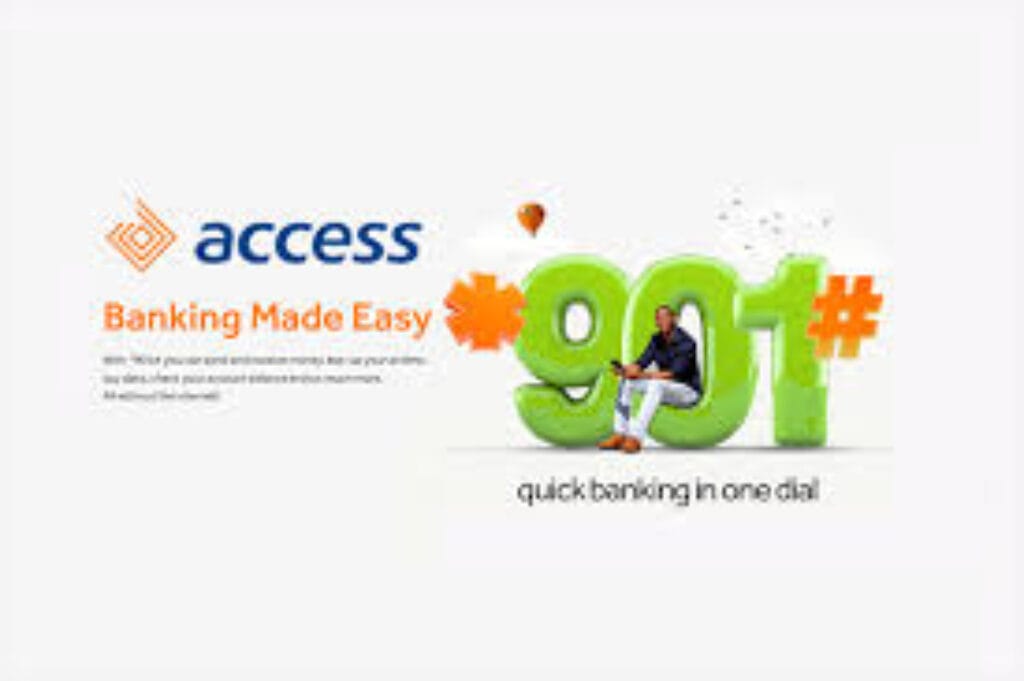
The Access Bank USSD code is *901#. Dial it from the phone number registered to your account, and you can transfer money, buy airtime, check your balance, pay bills, and block a lost card – all without an internet connection, on any mobile phone, at any hour. What most guides on this topic skip is the ₦6.98 telco charge applied to every financial transaction you complete on *901# – not by Access Bank, but by your network provider, under a 2021 CBN-brokered settlement between banks and telecoms. That charge and the shortcut codes that save you time are what this guide is actually about.
Why *901# Exists – and Why It Still Matters in 2026
USSD banking was never designed to be elegant. The technology dates to the early 1990s, built into GSM networks as a simple text-channel for sending short command strings between a handset and a network server. It has no graphics, no animations, no app store presence. It requires nothing beyond a SIM card and basic cellular coverage.
Access Bank’s *901# platform is built on that infrastructure – and it remains one of the most strategically important services the bank operates, not because it is sophisticated, but because it works when nothing else does. When the AccessMore app fails to load, when internet connectivity drops, when a customer is using a feature phone in Kano or Abeokuta, *901# is the fallback that determines whether a transaction happens or not.
For Access Bank specifically – Africa’s largest bank by customer base with 60 million customers across 24 markets – USSD is a financial inclusion infrastructure decision, not a legacy afterthought. A significant portion of those customers are not smartphone-first users. The bank’s distribution across 740+ branches and a national agent network means it regularly serves customers for whom *901# is not a backup option. It is the primary one.
Understanding this frames everything else about how the service is designed: it is built for reliability and breadth, not feature depth. And that design priority explains both what *901# does well and where it reaches its limits.
The Complete List of Access Bank USSD Codes (2026)
Core Access Bank USSD Code Reference
| Service | USSD Code | Notes |
|---|---|---|
| Main menu (all services) | *901# | Entry point for all menu-based navigation |
| Check account balance | *901*00# | Fastest shortcut; no menu navigation required |
| Transfer to Access Bank account | *901*1*Amount*AccountNumber# | Example: *901*1*5000*1234567890# |
| Transfer to other banks | *901*2*Amount*AccountNumber# | Works with all Nigerian banks |
| Buy airtime for self | *901*Amount# | Example: *901*500# for ₦500 airtime |
| Buy airtime for others | *901*Amount*PhoneNumber# | Example: *901*500*08012345678# |
| Pay bills (DStv, GOtv, electricity) | *901*3# | Follow menu prompts for biller selection |
| Open new account | *901*0# | No minimum opening balance required |
| Block account / debit card | *901*911# | Can be dialled from any phone — not just registered number |
| Access loans (QuickBucks/Payday) | *901*11# | Eligibility-based; see loan section below |
| Activate Dual Transaction Service (DTS) credit card | *901*14# | For salary account holders only |
| Pay LCC toll fees | *901*000*522*eTagNumber*Amount# | Lekki-Epe expressway toll payments |
| Request account statement | Via *901# menu | Delivered to registered email within 24 hours |
| Reset/change USSD PIN | Via *901# menu, Option 4 | Use registered number only |
Verify current codes at accessbankplc.com/ways-to-bank/901 before transacting. Shortcut codes are subject to periodic updates.
How to Activate *901# – The First-Time Setup Most People Rush
Before any code in the table above works, you must register for USSD banking. This is a one-time process. Many users skip steps here and then experience transaction failures on their first attempt – not because the code is wrong, but because the PIN setup was incomplete.
Step-by-step activation:
- Confirm you are using the SIM card registered to your Access Bank account. If your registered number is on a different phone, switch SIMs before proceeding. Dialling from an unregistered number will fail at the authentication step.
- Dial
*901#. The menu will load within seconds. - When prompted, enter the last 6 digits of your Access Bank debit card. If you do not have your card or it is expired, enter your date of birth in DDMMYYYY format instead (for example, if you were born on March 5, 1990, enter 05031990).
- Enter your 10-digit Access Bank account number when prompted.
- Create a 4-digit PIN. This PIN will authenticate every subsequent transaction on
*901#. Choose a number you have not used for your ATM card, mobile banking, or any other platform. - Confirm the PIN to complete registration.
Common friction at setup:
The most frequent point of failure is a mismatch between the SIM being used and the phone number on the Access Bank account. If you have changed your number since opening the account, or if you have multiple SIMs and are unsure which is registered, visit any branch to update the registered number before attempting USSD activation. Attempting setup from the wrong number produces an authentication error that does not explain its cause – users often interpret this as a system fault and abandon the process.
How to Transfer Money from Access Bank via USSD
The Access Bank transfer code for interbank transactions is *901*2*Amount*AccountNumber#. For transfers within Access Bank, use *901*1*Amount*AccountNumber#.
To send ₦15,000 to a GTBank account:
Dial: *901*2*15000*AccountNumber#
The sequence:
- Dial the shortcut code above, replacing AccountNumber with the recipient’s actual 10-digit account number
- The recipient’s name will appear on screen for confirmation – verify it before proceeding
- Enter your 4-digit USSD PIN
- Transaction completes. Both parties receive an SMS confirmation
Daily transfer limit: The default USSD transfer limit is ₦100,000 per day. This limit is set by Access Bank’s internal policy and the CBN’s tiered transaction framework – not arbitrarily. If you regularly need to move amounts above ₦100,000 via mobile, the AccessMore app supports higher limits and does not carry the ₦6.98 telco charge discussed below.
To increase your USSD daily limit, visit any Access Bank branch with a valid ID and debit card. The branch will update your limit on the system. This cannot be done remotely.
The ₦6.98 Charge Nobody Told You About
Here is the charge that generates more confusion than any other aspect of Access Bank’s USSD service – and it is not Access Bank’s charge.
Every time you complete a financial transaction on *901# (transfers, bill payments, balance inquiries that require PIN authentication), your network provider charges ₦6.98 to your phone credit or airtime balance. This applies on MTN, Airtel, Glo, and 9Mobile. It does not apply to airtime and data purchases made via USSD.
The ₦6.98 rate was established in 2021 by a joint resolution between the CBN and the NCC after a prolonged dispute between banks and telecom companies. The telcos had been providing USSD infrastructure to banks free of charge while banks charged their customers for USSD transactions. The telcos sought to introduce end-user billing; the CBN and banks resisted. The resolution was a flat ₦6.98 per USSD session, charged by the telco, deducted from airtime – not from the bank account.
Access Bank’s own official FAQ confirms this: “No, this is a free service offered by Access Bank. However, the ₦6.98 USSD telco charge for all transactions done on USSD Banking (excluding airtime and data purchase) applies.”
The practical implication is that users who have exhausted their airtime balance may find USSD transactions failing not because of a banking issue, but because they have insufficient credit for the telco session fee. Keeping at minimum ₦10–₦20 of airtime ensures USSD banking remains available when you need it most – which is typically when data and bank apps are unavailable.
What Does 90114 Mean in Access Bank?
*901*14# is the activation code for Access Bank’s Dual Transaction Service (DTS) – a credit card product available exclusively to Access Bank salary account holders.
Dialling *901*14# from your registered number activates the DTS credit card linked to your account without requiring a branch visit. This was designed to eliminate the traditional process of collecting a credit card in person. The DTS card operates as a standard naira credit card – all regular credit card fees, charges, and features apply. It is not a debit card, and activation via *901*14# does not create a new account; it enables a credit facility on your existing salary account.
Eligibility requirements: you must hold an Access Bank salary account with a regular verified salary inflow. The credit limit is typically set at three times your verified monthly salary. A minimum monthly repayment of at least 10% of the outstanding balance must be made by the 15th of each month.
Related reading: OPay Charges in Nigeria: What You’re Actually Paying
This is one of the few *901# sub-codes that does something consequential beyond a transaction – it opens a credit facility. Users should understand what they are activating before dialling it, and should not attempt activation unless they intend to use the credit product.
How to Check Your Access Bank Account Balance
The fastest way to check your Access Bank balance via USSD is the shortcut code *901*00#.
Dial it from your registered number, enter your PIN when prompted, and your available balance and ledger balance appear immediately on screen. The difference between the two is important: available balance is what you can spend right now; ledger balance includes funds that may be held, pending, or in the process of clearing.
You do not need to navigate the full *901# menu to check your balance. The shortcut is designed precisely for this – a sub-10-second balance confirmation that does not require menu traversal.
Alternative balance check methods:
- Dial
*901#and select “Balance” from the menu if the shortcut does not work on your network - SMS banking via Access Bank’s registered SMS number
- AccessMore app (requires data; shows transaction history, not just balance)
- Email contactcenter@accessbankplc.com for a full account statement, delivered as a PDF within 24 hours
Emergency: How to Block Your Access Bank Account Instantly
If your phone is lost or stolen, or you suspect your USSD PIN has been compromised, dial *901*911# immediately. This is the only USSD function that can be dialled from any phone – not just your registered number. The code deactivates your USSD profile and blacklists the account from further USSD transactions.
This emergency feature reflects a design decision that most competitor banks have not replicated: Access Bank recognised that the registered phone being lost is precisely the scenario where account blocking is most urgently needed. A block code that requires the registered phone is operationally useless in a theft scenario. *901*911# works from any handset.
After blocking, contact Access Bank to restore access: call 07003000000 or email contactcenter@accessbankplc.com. Branch visit with valid ID will be required to reinstate USSD access.
Access Bank USSD Loans: What 90111# Actually Offers
*901*11# connects eligible Access Bank customers to the QuickBucks loan product – an instant, collateral-free loan disbursed directly to the Access Bank account.
Eligibility is determined automatically based on account history. The system evaluates salary inflows, transaction consistency, existing loan exposure, and BVN linkage. Users whose number is not linked to their BVN, whose inflows are irregular, or who have existing outstanding loans will typically be declined or offered lower amounts.
Common reasons for loan unavailability on *901*11#:
- Phone number dialling does not match the BVN-linked number on the account
- Account history is too new – some loan products require several months of salary or consistent transaction activity
- Existing loan exposure that reduces available credit
- Irregular or insufficient inflow history
The maximum loan amount varies by customer profile. Access Bank’s published Payday Loan limit, accessible via *901*11# or mypayday.ng, is up to 50% of net monthly salary for salary account holders. Actual offers may differ. Verify terms before accepting – loan products carry interest and repayment obligations that are enforceable regardless of how quickly the offer appeared.
A security note that matters: loan-related USSD codes attract scammers who impersonate bank agents and promise to “unlock” higher loan amounts for an activation fee. Access Bank does not charge activation fees for any loan product. Never share your USSD PIN, OTP, or card PIN with anyone claiming to facilitate a loan. The only legitimate Access Bank loan channels are *901*11#, the QuickBucks app, AccessMore, and internet banking.
When *901# Fails: What to Do
USSD failure is not always a banking problem. The session involves three parties – your handset, your telco’s USSD gateway, and Access Bank’s banking backend – and failures can originate at any point.
Common failure scenarios and what actually causes them:
| Error Symptom | Most Likely Cause | Resolution |
|---|---|---|
| “Transaction failed” after PIN entry | Telco gateway congestion | Retry after 2–3 minutes; try a different time of day |
| Code dials but no menu appears | Wrong SIM in phone; phone not recognizing USSD | Confirm SIM slot; try from another phone if possible |
| “Authentication failed” on first use | Registered number mismatch | Visit branch to confirm registered number |
| Zero airtime balance message | ₦6.98 telco charge insufficient | Top up at least ₦10 of airtime before retrying |
| “Daily limit exceeded” | ₦100,000 daily limit reached | Use AccessMore app for higher limits; or visit branch |
| Session ends before completion | USSD session timeout (approximately 3 minutes) | Re-initiate from the beginning; have all details ready before dialling |
The most important operational habit for frequent USSD users: always have at least ₦10–₦20 of airtime available on the registered SIM. The ₦6.98 charge is the single most common invisible cause of USSD banking failures that users attribute to the bank.
CONCLUSION
The *901# code is Access Bank’s most democratic product – it works on a ₦5,000 feature phone and a ₦500,000 smartphone identically. That is not an accident. For a bank serving 60 million customers across 24 markets, USSD is the infrastructure that makes the inclusion claim operationally real rather than merely aspirational.
The ₦6.98 per-session telco charge is the one structural friction that sits outside Access Bank’s control – set by regulators, collected by network operators, and routinely misattributed to the bank by customers whose transactions fail because of a depleted airtime balance. Knowing where the charge comes from is the difference between troubleshooting effectively and filing a complaint that goes nowhere.
For customers who regularly transact above ₦100,000, the AccessMore app is the more capable tool. But for every situation where data fails, the app crashes, or the phone in hand is not your registered smartphone – *901# is what works. That reliability is its actual value proposition.
Stay ahead of the businesses shaping Nigeria.
Get important company developments, analysis, research and business intelligence from Brands.Ng directly on WhatsApp.