
 Brands.Ng Editorial Team
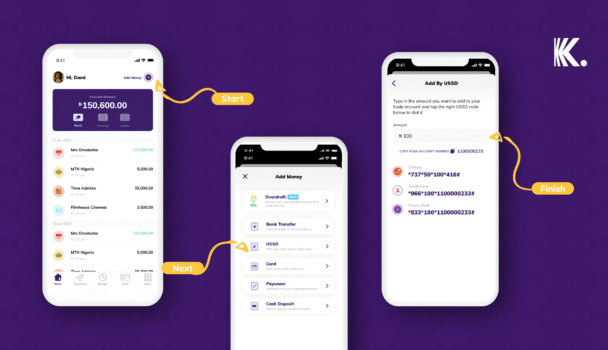
If a transfer just failed and you’re staring at a “limit exceeded” message, here is the number you need: Kuda’s daily transfer limit is not fixed — it is a setting you control, adjustable from ₦50,000 up to ₦25,000,000 once your account reaches Tier 3. The reason it failed is almost certainly that your account is sitting on a lower default, or your slider was never moved up after verification. The Kuda bank transfer limit exists because Kuda, like every CBN-licensed institution, scales what it lets you move based on how much it actually knows about you — and the fix takes under two minutes once you know where to look. More on failed bank transfers.
What the Tier Structure Actually Reveals About Kuda’s Risk Tolerance
Every digital bank in Nigeria runs the same underlying calculation, even when the marketing language differs: the less verified information a bank holds on an account, the more that account looks, statistically, like the accounts criminals prefer to use. Kuda’s tier system is the visible surface of that calculation.
Kuda has effectively two operational tiers, not three, despite the naming convention. A brand-new account — email and phone number only, no BVN attached — carries a transaction limit of zero. You cannot move money at all until you link a Bank Verification Number. The moment you do, you land on Tier 1, with transaction privileges unlocked but capped low. Submit a valid government ID and pass verification, and you move to Tier 3, skipping Tier 2 entirely — Kuda’s own documentation confirms there is no intermediate Tier 2 product. This is not an oversight in their numbering. It reflects a binary risk decision: either Kuda has enough identity confirmation to extend meaningful limits, or it does not, and there is no useful middle ground worth building a separate tier around.
What this means operationally is that the entire Kuda bank transfer limit system collapses into one real decision point — completing BVN and ID verification — rather than a long climb through account levels. Competitor explainers that describe a smooth four-tier progression are describing a structure Kuda does not currently operate.
The Slider Most Users Never Touch – and Why It Blocks Them
Here is the detail that resolves more “my transfer keeps failing” complaints than any other piece of information in this guide: once your account reaches Tier 3, Kuda does not assign you a single fixed daily limit. It hands you a slider, and the default position on that slider is frequently far below what your account is actually entitled to.
According to Kuda’s own Help Center documentation, a Tier 3 account can set its daily transfer limit anywhere from ₦50,000 to ₦10,000,000 through the standard in-app control – and separately, Kuda confirms that limits above that, up to ₦25,000,000, are available by following an additional in-app process for higher-limit requests. The single transfer limit – the cap on one transaction, as opposed to your total for the day – is configured separately, adjustable from ₦50,000 up to ₦2,000,000 per transaction at the Tier 3 level.
The behavioral pattern Kuda is clearly accounting for here is one familiar to every Nigerian digital bank: a user verifies their account once, accepts whatever default limit appears, and never returns to that settings screen again – until the day they urgently need to move ₦800,000 and discover their slider was sitting at ₦50,000 the entire time. The friction is not technical. It is that the upgrade step is invisible until the moment you need it, which is precisely the moment you have the least patience to find it.
Kuda Bank Transfer Limits by Tier
| Account status | BVN linked | Valid ID submitted | Daily transfer limit (adjustable) | Single transfer limit (adjustable) |
|---|---|---|---|---|
| New account | No | No | ₦0 – no transactions permitted | ₦0 |
| Tier 1 | Yes | No | Lower default range; user-adjustable within Tier 1 ceiling | Lower default range |
| Tier 3 | Yes | Yes | ₦50,000 to ₦10,000,000 (in-app slider); up to ₦25,000,000 via additional request | ₦50,000 to ₦2,000,000 |
Kuda’s published Tier 1 figures were not independently confirmed by Kuda’s own current Help Center articles at the time of writing, though third-party trackers cite a Tier 1 ceiling around ₦300,000 daily and ₦50,000 per transaction. Treat any specific Tier 1 figure as indicative rather than confirmed, and verify your own account’s exact limit inside the app under Settings before relying on it for a time-sensitive transfer.
Why a Failed Transfer Feels Like a Platform Failure When It Is Actually a Setting
There is a specific kind of anxiety that comes from a transfer being rejected with no clear explanation, and it is worth naming directly because it explains why Kuda bank transfer limit complaints generate disproportionate frustration relative to how easily most of them resolve.
When a payment fails because of insufficient funds, the cause is self-evident and the user accepts it immediately. When a payment fails because of a limit the user did not know existed, set at a level they never chose, the experience reads as the platform malfunctioning – not as the predictable output of a setting sitting where it was left. Kuda’s 2026 app update specifically addressed this gap, adding what the company describes as clearer transaction limit messages with guides directly in the failure notification, rather than a generic rejection. That single interface change exists because Kuda’s own data almost certainly showed limit-related failures were a leading driver of support contact volume and one-star reviews — not because users were genuinely blocked from sending money, but because they did not understand why they were blocked, which is a categorically more damaging experience for trust than the block itself.
This is the structural lesson embedded in every tiered financial product operating under CBN’s KYC framework: predictability of the rule matters more to user trust than the generosity of the rule. A user who understands exactly why their limit sits where it does, and exactly what unlocks a higher one, tolerates a strict limit far better than a user facing an unexplained one – even when the strict limit is objectively lower.
How to Increase Your Kuda Transfer Limit Without Visiting a Branch
The process below reflects Kuda’s current in-app structure as documented in its own Help Center. Expect the entire process, once you have your documents ready, to take under ten minutes if your BVN details match your submitted ID exactly – and considerably longer if they do not, which is the single most common point of failure in this process.
- Open the Kuda app and confirm your current tier. Navigate to your account settings to see whether your BVN and a valid ID are both attached. If either is missing, this is the actual blocker – not the limit itself.
- Submit your BVN if you have not already. This single step is what moves you off the zero-transaction new-account state and is the precondition for everything else.
- Submit a valid government-issued ID for verification. This is the step that moves a BVN-only account to Tier 3. Common friction point: if the name on your ID does not exactly match the name registered against your BVN – including middle names, spelling variants, or maiden versus married names – verification will stall without always generating a clear error message. If your upgrade has been “pending” for more than a day or two, this mismatch is the most likely cause, and contacting support with both documents ready to compare is faster than resubmitting blindly.
- Once verified, go to your transfer limit settings and check the slider position. This is the step almost everyone skips. Verification does not automatically push your slider to its new ceiling – it only raises the maximum the slider can reach. You still have to move it yourself.
- Adjust your daily and single transfer limits separately. These are two distinct settings inside the app, and raising one does not raise the other. A user who only adjusts the daily limit will still be blocked on any single transaction above their unchanged single-transfer cap.
- Confirm the change with your Face ID, fingerprint, or transaction PIN, and complete the verification code sent to your phone. This step exists specifically so that a limit increase cannot be performed by anyone who has gained access to your device without also controlling your registered phone number – a meaningful fraud control most users never consciously notice is protecting them.
- For limits above the standard in-app ceiling, follow Kuda’s additional request process inside the app rather than contacting support cold. Requests for unusually high limits typically require a stated reason and will be reviewed before approval, reflecting Kuda’s enhanced due diligence obligations once an account is moving sums large enough to attract regulatory attention regardless of which platform it sits on.
The “Kuda Bank Transfer Code” Confusion That Most Guides Get Wrong
This is worth addressing directly because the search term itself reflects a genuine misunderstanding that several published guides have actively reinforced rather than corrected.
Kuda does not have a USSD code that lets you transfer money out of your Kuda account to another bank without the app. This is confirmed directly by Kuda’s own Help Center: there is currently no Kuda-originated USSD transfer service. What exists instead, and what most “Kuda transfer code” searches are actually looking for, is the reverse process – using another bank’s USSD code to send money into your Kuda account. Dial *737# from a GTBank line, *966# from Zenith, *901# from Access Bank, *894# from First Bank, or *945# from Wema, followed by the amount and your Kuda account number, and the transfer moves from that bank into Kuda.
Some third-party guides describe *894# itself as “the Kuda USSD code,” which is incorrect and creates a real risk of confusion – *894# belongs to First Bank’s USSD service and only functions as a route into Kuda when dialled from a phone number registered to a First Bank account. Dialling it from a number with no First Bank account attached will not connect to Kuda at all. If your goal is sending money out of Kuda, the app remains the only channel – there is no shortcut around it, regardless of what any single guide promises.
Read: PalmPay USSD Code *861#: Full Guide Nigeria (2026)
What to Do When Your Tier 3 Limit Still Isn’t Enough
For Nigerian SMEs and freelancers receiving large client payments, even the standard Tier 3 ceiling can fall short of a single transaction need – a common scenario when an invoice settles in one lump sum rather than instalments. Kuda’s process for requests above the standard slider ceiling exists precisely for this case, but it is worth setting expectations honestly: based on Kuda’s own documented approach to its business account tier – which requires enhanced due diligence and supporting business documentation for any request above ₦5,000,000 – personal account holders requesting unusually large one-off limits should expect a similar documentation request, not an instant approval. If your income pattern genuinely involves recurring large transfers rather than an isolated event, opening a Kuda Business account, which carries a published daily ceiling of up to ₦100,000,000 for fully verified Full Business Account holders, is structurally the more appropriate product than repeatedly requesting exceptions on a personal account.
CONCLUSION
The Kuda bank transfer limit is not a wall – it is a dial Kuda expects you to operate yourself, and the gap between what your account is entitled to and what your slider is actually set to is where almost every “my transfer failed” moment originates. The deeper pattern worth carrying forward, applicable to every Nigerian digital bank you will ever use: the institutions that survive scale are the ones that make their rules legible, not the ones that make them generous. Kuda’s 2026 interface changes – clearer limit messaging, visible upgrade prompts – are a direct response to that lesson, not a courtesy. Check your slider before you need it, not after.