
You passed JAMB. You chose UI as your first choice. Now comes the step that most candidates underestimate – the UI Post UTME screening exercise.
The Post UTME is not a formality. It is not a tick-box exercise you complete just to confirm your JAMB application. At the University of Ibadan, the Post UTME screening is the final hurdle between your JAMB result and your admission letter, and it is not one you can wing. As you already know from our cut off mark guide, UI’s aggregate formula weights your Post UTME score heavily – a strong performance here can elevate a moderate JAMB score into a competitive admission position, and a weak performance can eliminate even an excellent JAMB score from contention.
This guide covers the UI Post UTME portal specifically – how to access it, how to log in, how to register, what you pay, what happens on exam day, and how to check your screening results afterward. It does not repeat the cut off mark analysis or aggregate formula — those are covered in detail in our dedicated guide: University of Ibadan Cut Off Mark 2026: JAMB Score, Departmental Cutoffs and What Your Score Means.
What Is the UI Post UTME Portal?
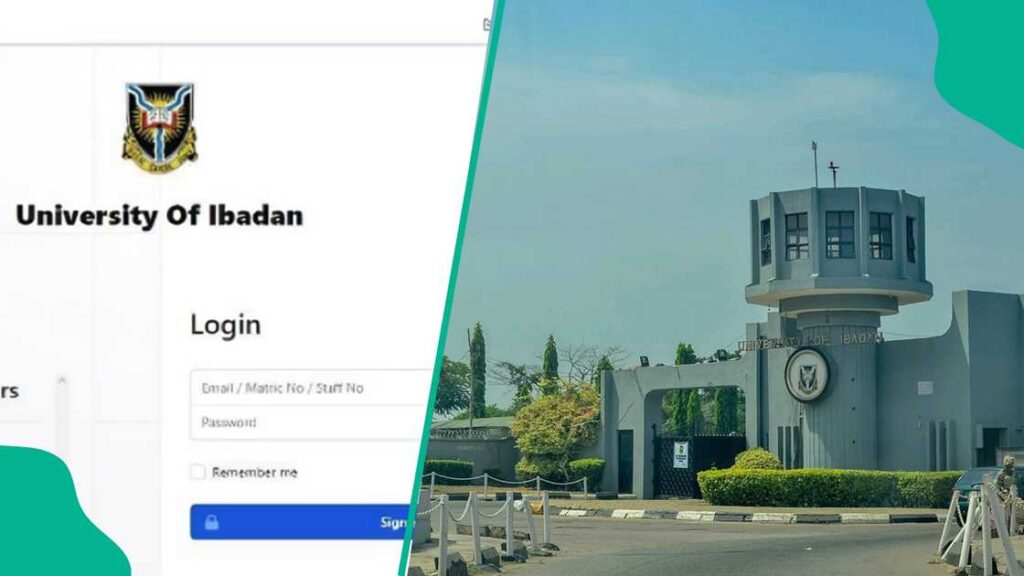
The UI Post UTME portal is the official online platform through which candidates register for the University of Ibadan’s Post UTME and Direct Entry screening exercise.
The official UI admission portal is at www.admissions.ui.edu.ng. This is the only legitimate platform for UI Post UTME registration. Any website, agent, or individual claiming to register candidates through an alternative platform or charging fees outside this portal is fraudulent.
The Post UTME screening exercise is a crucial step in the UI admission process and is mandatory for all prospective students. There is no pathway to UI undergraduate admission that bypasses the Post UTME screening – every candidate who chooses UI as first choice on JAMB and meets the minimum score requirement must register and sit the screening exercise.
The portal is distinct from other UI online systems:
- admissions.ui.edu.ng – Post UTME and undergraduate admission portal (this article)
- students.ui.edu.ng – Student portal for registered UI students (fees, course registration)
- pgcollege.ui.edu.ng – Postgraduate College portal (Masters and PhD applications)
Ensure you are on the correct portal before entering any personal information or making any payment.
UI Post UTME Eligibility: Who Can Register?
Before accessing the portal, confirm you meet all eligibility requirements. Registering without meeting them will not produce an admission offer – and the registration fee is non-refundable.
For UTME candidates:
Only candidates who scored 200 or above in the 2025 UTME are eligible to register for the Post UTME examination.
Candidates must have scored 200 or above in their UTME and be 16 years or older by 30th September 2025. For the 2026/2027 session, the age requirement will follow the same pattern – candidates must be at least 16 years old by the equivalent date in the 2026 cycle.
Candidates who will not have attained the age of sixteen years by 30 September shall not be cleared for admission. This age requirement is strictly enforced – underage candidates who register and sit the screening exercise will not receive admission clearance regardless of their performance.
O-Level requirements by programme:
Candidates seeking admission to the programmes at the College of Medicine and Faculty of Pharmacy must possess five credits at one sitting in relevant O-Level subjects. For other programmes, candidates presenting two O-Level results must have at least six credits in relevant subjects.
This is one of UI’s most distinctive O-Level requirements – Medicine and Pharmacy candidates must have all five required credits in one sitting, with no exceptions. This requirement has ended more than a few otherwise competitive applications. Confirm your O-Level sitting requirement matches your intended programme before registering.
Qualifications UI accepts:
UI accepts WAEC, NECO, Cambridge A-Level, NCE, OND, HND, and Degree certificates for Direct Entry candidates.
The University of Ibadan does not accept IJMB or JUPEP. This is a hard rule – candidates with IJMB or JUPEB results cannot use these qualifications for UI Direct Entry admission. If you hold only IJMB or JUPEB, you are not eligible for UI Direct Entry and must apply through UTME instead.
For Direct Entry candidates:
Direct Entry candidates – those applying with A-Levels, NCE, OND, HND, or a previous degree – must also register through the admissions.ui.edu.ng portal. Direct Entry applicants must upload their credentials to ugadmissions@stu.ui.edu.ng in addition to completing the online registration. Confirm current Direct Entry document requirements on the portal at the time of registration – requirements may be updated each session.
UI Post UTME Registration Dates 2026
The University of Ibadan admission portal was opened for Post UTME and Direct Entry Registration from Monday, 21 July 2025 to Saturday, 17 August 2025 for the 2025/2026 session.
Candidates should note that there may be no extension of the registration period. This is an unusual but important warning – UI explicitly states that no extension should be counted on. In practice, extensions have been granted in some previous sessions, but the university’s official position is that the deadline is firm. Plan and register as if no extension is coming.
For the 2026/2027 session, the registration window is expected to follow the same July-August timeline – typically opening approximately four to six weeks after JAMB results are released and closing before the screening examination date in August.
The Post UTME examination for the 2025/2026 session took place from Monday, 25 to Wednesday, 27 August 2025. The 2026/2027 examination will follow a similar schedule in late August 2026.
How to stay informed for 2026/2027:
- Monitor the official UI website at ui.edu.ng for the formal announcement
- Check the admissions portal at admissions.ui.edu.ng from mid-July 2026
- Ensure the email address and phone number you registered with JAMB are active – the University will not take responsibility for failure to get information as a result of invalid email addresses and non-functional phone numbers.
How to Login to the UI Post UTME Portal
Go to the UI admission portal. Use your JAMB registration number as your username and your surname in capital letters as the starting password.
The login credentials are:
- Username: Your JAMB registration number (e.g., 202412345678EG)
- Password: Your surname in capital letters (e.g., OYEDELE)
Log in using your JAMB Registration Number as your username. Use your surname as your default password – for example, OYESANMI.
First-time login steps:
Step 1 – Go to www.admissions.ui.edu.ng
Step 2 – Click “Login” or “Post UTME Registration” on the homepage.
Step 3 – Enter your JAMB registration number as your username.
Step 4 – Enter your surname in capital letters as your default password.
Step 5 – The system retrieves your JAMB details – verify that your name, course, and institution choice displayed are correct before proceeding.
Step 6 – Update your personal information and proceed to payment.
If your login fails:
The most common login failure is a surname mismatch – the system reads the surname exactly as registered with JAMB. If your surname on JAMB is hyphenated, compound, or contains unusual spacing, enter it exactly as it appears on your JAMB result slip. Do not add spaces or remove characters.
If the portal displays “Candidate not found” after entering a correct JAMB number, your JAMB result may not yet be synced to the UI portal – try again after 24 hours before contacting the UI admissions office at ugadmissions@stu.ui.edu.ng
How to Register on the UI Post UTME Portal: Step by Step
All applications are to be submitted online through the official portal at www.admissions.ui.edu.ng
Step 1 – Access the portal Go to www.admissions.ui.edu.ng and log in using your JAMB registration number and surname as described above.
Step 2 – Verify your details Confirm that the course and institution details pulled from JAMB are correct. If your first-choice institution is not UI, you cannot register on this portal – your JAMB record must show UI as your first choice.
Step 3 – Update personal information Complete your personal profile – biodata, contact details, O-Level results, and other required information. Make sure all details match your JAMB record to avoid disqualification. Discrepancies between your portal details and your JAMB record are a common and avoidable cause of screening disqualification.
Step 4 – Pay the registration fee The registration fee covers a portal access fee of ₦3,000 and a screening fee of ₦2,000 – total ₦5,000. All payments are to be made through the official UI admission portal in favour of the University of Ibadan.
Payment options available on the portal:
- Debit card payment directly on the portal
- Bank transfer through internet banking
- Generate a payment slip from the portal and pay over the counter at any designated bank
After completing the payment, it is important to print out the payment success receipt from the portal, as it serves as proof of payment and may be required later during the screening or admission process.
Step 5 – Upload required documents Upload the following documents through the portal:
- Passport photograph (recent, clear, white background)
- O-Level result(s) – WAEC or NECO result checker printout
- JAMB result slip
- Any additional documents specified for your course
Ensure all uploads are clear and legible. Blurry or incomplete document uploads are flagged during document verification and can delay your screening clearance.
Step 6 – Print your examination slip After completing registration and payment, print your examination slip from the portal. Ensure you print the payment success receipt after payment. Your examination slip contains your examination date, venue, time, and candidate number – you cannot enter the screening venue without it.
Step 7 – Note your examination date The examination date for each candidate will be communicated in due course. Candidates are therefore strongly advised to provide valid and active email addresses and phone numbers. Do not assume you will sit the exam on a specific date based on general announcements – your individual date is assigned by the system and communicated to you personally.
What the UI Post UTME Screening Exam Covers
Whether you are going for medicine, law, sciences, or the arts, UI Post UTME demands preparation and strategy.
The UI Post UTME screening examination tests candidates in the subjects relevant to their chosen course. The general structure:
English Language – tested for all candidates regardless of course. Covers comprehension, grammar, vocabulary, and usage. English performance is weighted and affects the aggregate for all programmes.
Core subject areas – aligned to your UTME subject combination. A candidate applying for Medicine sits Biology, Chemistry, and Physics alongside English. A candidate applying for Law sits Literature, Government or Economics alongside English. The examination covers the same subject areas as JAMB but at a level of depth that rewards genuine understanding over memorisation.
Examination format: Download and practice with UI Post UTME past questions and answers. Use CBT practice platforms to simulate the test environment. Focus on your UTME subject combination. The UI Post UTME is computer-based – candidates who have practised on CBT platforms before exam day navigate the interface more confidently and use their time more efficiently than those encountering the format for the first time.
Preparation strategy:
The most effective preparation for UI Post UTME combines three elements: past questions to understand the question style and difficulty level, subject-area revision focused on your specific course combination, and CBT platform practice to build speed and interface familiarity. Join UI aspirants forums on Facebook, Telegram, and WhatsApp for updates and tips. These communities share past question banks, exam day information, and venue guidance that is not formally published by the university.
How to Check Your UI Post UTME Screening Results
After sitting the screening examination, your result and admission status are checked through the same admissions portal.
Step 1 – Go to www.admissions.ui.edu.ng
Step 2 – Log in with your JAMB registration number and updated password.
Step 3 – Navigate to “Check Result” or “Admission Status” on your dashboard.
Step 4 – Your Post UTME score and admission status are displayed. If admitted, your status shows “Admitted” and your department is confirmed.
Step 5 – If admitted, proceed immediately to JAMB CAPS (Central Admissions Processing System) to accept your admission. UI admission offers have acceptance deadlines – missing the CAPS acceptance window can result in your slot being offered to another candidate.
What statuses mean:
| Status | Meaning | What to Do |
|---|---|---|
| Admitted | You have been offered admission to your chosen course | Accept immediately on JAMB CAPS |
| Not Admitted | You were not offered admission in this cycle | Consider JAMB direct entry, transfer options, or reapplication |
| Pending | Your application is still being processed | Check again after 48 hours |
| Awaiting O-Level | Your O-Level results could not be verified | Upload clearer documents through the portal |
Common UI Post UTME Portal Problems and Fixes
“Candidate not found” error on login Your JAMB registration number may not yet be synced to the UI portal. Wait 24 to 48 hours after JAMB results release before trying again. If the error persists after 48 hours, contact UI admissions at ugadmissions@stu.ui.edu.ng with your JAMB registration number and result slip.
Payment confirmed but portal still shows unpaid Wait 30 minutes for the payment to reflect. If still showing unpaid after two hours, do not pay again. Contact UI admissions with your bank transaction reference number and your JAMB registration number.
Examination slip not generating after payment Clear your browser cache and try a different browser. If the slip still does not generate, contact UI admissions immediately – do not attend the examination venue without a valid examination slip.
Wrong course showing on portal If the course displayed on the portal differs from your intended course, this reflects your JAMB record – not a portal error. Course changes at Post UTME stage require a formal application to the UI admissions office and are not guaranteed.
Post UTME result not showing Results are typically published between one and four weeks after the screening exercise closes. If the portal shows no result after four weeks of the examination date, contact UI admissions with your candidate number and examination details.
Frequently Asked Questions
How do I access the University of Ibadan post UTME portal? Go to www.admissions.ui.edu.ng. Log in using your JAMB registration number as your username and your surname in capital letters as your default password. The portal is the only official platform for UI Post UTME registration – do not register through any agent or third-party website.
What is the cut off mark for UI Post UTME registration? The minimum JAMB score to register for the UI Post UTME is 200. Candidates who scored below 200 are not eligible to register for the screening exercise. For competitive courses like Medicine, Law, and Engineering, the realistic admission score is significantly higher – see our full cut off mark guide for departmental breakdowns.
How much is the UI Post UTME registration fee? The total UI Post UTME registration fee is ₦5,000 – comprising a ₦3,000 portal access fee and a ₦2,000 screening fee. Payment is made through the official admissions portal using a debit card, internet banking, or a payment slip at a designated bank.
When is the UI Post UTME form for 2026? The 2026/2027 UI Post UTME form is expected to be available from approximately July 2026, following the pattern of the 2025/2026 session which opened July 21, 2025. Monitor ui.edu.ng and admissions.ui.edu.ng from mid-July 2026 for the official announcement.
What is the UI Post UTME exam date for 2026? The 2025/2026 Post UTME examination held from August 25 to 27, 2025. The 2026/2027 examination is expected to follow a similar late-August schedule. Your individual examination date is communicated through the portal and by SMS and email to the contact details you register with.
How do I check my UI Post UTME result? Log into www.admissions.ui.edu.ng with your JAMB registration number and password. Navigate to Check Result or Admission Status on your dashboard. Your Post UTME score and admission status are displayed there. If admitted, accept your offer immediately on JAMB CAPS.
Does UI accept IJMB for Direct Entry? No. The University of Ibadan does not accept IJMB or JUPEB for Direct Entry admission. Accepted Direct Entry qualifications are WAEC A-Level, NECO A-Level, Cambridge A-Level, NCE, OND, HND, and a previous Degree from a recognised institution.
What happens if I miss the UI Post UTME registration deadline? If you miss the registration deadline and no extension is granted, you cannot sit the current session’s screening exercise. Your options are to apply in the next JAMB cycle with UI as first choice, or to consider other universities whose Post UTME windows are still open. UI has explicitly stated that deadline extensions cannot be relied upon.
Sources: University of Ibadan official Post UTME announcement – ui.edu.ng, July 2025; SmartJamb.com, April 2026; MySchoolGist.com, July 2025; DTWTutorials.com, August 2025; ExamsUpdates.com (ijlet.com), July 2025; InIbadan.com, July 2025; SchoolNoble.com, December 2025.
Stay ahead of the businesses shaping Nigeria.
Get important company developments, analysis, research and business intelligence from Brands.Ng directly on WhatsApp.