First Bank App: Complete 2026 Guide — Download, Login, Limits & Fixes
Last Updated: June 2026
First Bank App, known as FirstMobile’s transfer limit has changed at least three times since 2017 — from ₦500,000 to ₦1 million to today’s ₦25 million self-service limit — and most guides to First Bank’s app are still quoting outdated figures from years-old news articles. This guide covers the FirstMobile app exactly as it functions in 2026: how to download and register without a branch visit, what’s actually changed in the past two app versions, why the app sometimes stops working and what genuinely fixes it, and how its limits and features compare to GTBank, Access, and Zenith’s equivalents.
What FirstMobile Actually Is
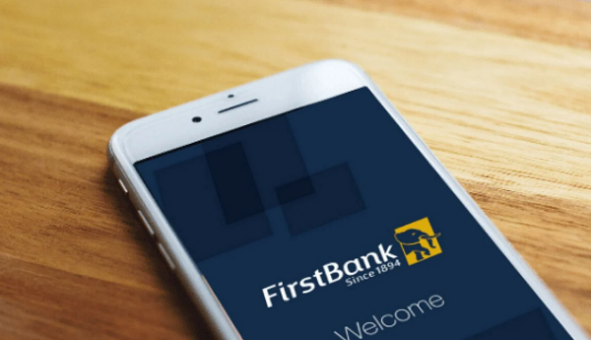
FirstMobile is the official mobile banking application from First Bank, providing FirstBank account holders convenient access to both financial and non-financial transactions via their mobile phones. The service is available to account holders with Naira MasterCard and/or Verve cards, with a DIY enrolment process that lets all FirstBank customers begin using the app without needing to visit a branch.
First Bank also runs a second, separate app called Lit by FirstBank — positioned as the product of FirstBank’s Digital Innovation Lab, with a UI/UX explicitly built as an improvement on FirstMobile’s existing offering, available on iOS and Android. The two apps are not the same product: FirstMobile is the primary, full-featured banking app most customers use; Lit is a more lifestyle-and-rewards-oriented companion app with features like points-based rewards and scheduled payments. This guide focuses on FirstMobile, since it’s the app the overwhelming majority of First Bank customers actually use daily.
How to Download and Register on FirstMobile
Step 1 — Download the official app. FirstMobile is available on Google Play for Android devices, and on the Apple App Store for iOS, with a Huawei App Gallery version also available for Huawei devices. Always download directly from these official stores — never from a third-party APK site.
Step 2 — Register without visiting a branch. Existing customers with Verve or Naira MasterCards can register and begin using the app without cause to visit a physical branch location. New customers can also open a full FirstBank account directly within the app itself through Instant Account Opening — getting up and running quickly without prior account history.
Step 3 — Link your NIN. A 2025-2026 update added NIN linkage, letting customers effortlessly link their National Identification Number to all their FirstBank accounts directly through the FirstMobile app — a step that’s become functionally mandatory across Nigerian banking apps following CBN’s broader KYC enforcement push.
Step 4 — Set up biometric authentication. Enable fingerprint or face recognition in the app’s security settings. FirstMobile’s biometrics validate transactions through fingerprint authentication, allowing customers to consummate transactions using their fingerprint — this both speeds up daily use and adds a meaningful security layer beyond your PIN alone.
FirstMobile Transfer Limits in 2026 (Verified, Current)
This is the single most outdated piece of information across competing articles — most still cite the ₦500,000 or ₦1 million figures from 2017 news coverage, years before the limits were raised again.
| Limit Type | Amount | Requirement |
|---|---|---|
| No-token transfer (to First Bank or other banks) | ₦150,000 | Transferable without a token, per the 2017 update establishing this threshold |
| Standard daily transfer (with token) | Up to ₦10,000,000 daily | Token required once cumulative transactions exceed your configured PIN limit |
| Self-service maximum transfer limit | ₦25,000,000 | Current self-managed ceiling, per the latest app version |
| Daily bills payment limit | ₦50,000 | Separate cap from transfer limits |
Limits are subject to change at First Bank’s discretion and CBN regulatory guidance. Always confirm your specific account’s current limit within the app under Self Service before relying on these figures for a time-sensitive transaction.
The detail most users miss: FirstMobile version 2.6.0 introduced Transaction Limit management directly in-app — letting you increase or decrease your own daily transaction limit at will using your token, without contacting support or visiting a branch. If your limit feels too restrictive for a one-off large transfer, this self-service feature — not a phone call — is the fastest fix.
What’s New on FirstMobile in 2026
The app has shipped several substantive updates that change what it can do compared to even a year or two ago:
- Send Money Across Africa (PAPSS) — seamless local-to-local transfers to other African countries, using the Pan-African Payment and Settlement System rather than routing through correspondent banks abroad.
- Fibani AI chatbot — an AI-powered support assistant built directly into the app for instant support, reducing dependence on call centre wait times for routine queries.
- Device activation via primary device — activate a new device using your existing primary device, useful when switching phones without needing to re-register from scratch.
- FirstBank Virtual Cards — create, activate, change PIN, and block/unblock a virtual card entirely within the app, useful for online subscriptions and safer e-commerce payments.
- BVN/NIN enquiry — retrieve your BVN or NIN directly within the app rather than dialling a separate USSD code.
- NIBSS QR payments — make payments using the NIBSS-QR standard, aligning FirstMobile with the same QR payment rails used across other major Nigerian banks.
- Complaints Management — create a case for any complaint and track its resolution status directly in-app, rather than relying solely on phone or email follow-up.
- Consumer loans in-app — apply for personal, salary-backed, home, and auto loans directly from the app, without a separate loan application process.
Why Is My First Bank App Not Working?
This is the highest-frequency complaint pattern across Nigerian banking forums for FirstMobile specifically, and the causes split into a few clear, fixable categories.
Server-side maintenance or outage. It is either the bank is doing some maintenance, or you have a poor internet connection — check the First Bank official website or social media handles to confirm there is no service outage or app upgrade in progress. This is genuinely common enough that “First Bank App Down” has been a recurring discussion thread on Nairaland, alongside similar threads about Zenith Bank’s app experiencing comparable outage patterns — meaning app downtime is a sector-wide reality, not unique to First Bank.
Outdated app version or device incompatibility. Check the minimum requirement for the app on the Play Store against your phone’s specifications — go to Settings > About Phone to check your device’s Android version and processor. If your device runs a smaller operating system version than required, FirstMobile may not work properly.
Cached data corruption. If you’re on Android, clear the app’s cache or data: go to Settings > Apps > FirstMobile > Storage > Clear Cache or Clear Data. Note that clearing data will remove locally stored app settings and information.
Incorrect login credentials. If you input incorrect login details, you won’t be able to access your account — take note of the specific error message displayed, since it usually indicates exactly which credential is wrong.
The fix sequence that resolves most cases, in order: confirm your internet connection is stable; check the app store for a pending update and install it; restart the app; clear cache (Android) or reinstall (iOS, where cache-clearing isn’t directly available); confirm via First Bank’s official channels that there’s no active service outage; and only then contact First Bank support if none of the above resolves it.
One detail that matters for trust: First Bank’s support team will never ask for your app credentials or PIN — if anyone claiming to be First Bank support requests these during a troubleshooting call, that is a scam attempt, not a legitimate resolution step.
How First Bank Actually Responds to App Complaints
Most competitor articles only describe user complaints without showing how the bank responds — and First Bank’s own developer responses on the App Store reveal a genuinely useful pattern for understanding what’s actually being fixed versus what’s a known, unresolved limitation.
One user complaint specifically flagged: “you can’t get account statement or even get a token in case I want to increase my limit or even get a nice description of a debit alert or credit alert.” First Bank’s developer response confirmed the historical receipt generation feature had since been added — accessible via Self-Service > Generate Receipt > select transfer receipt and period — while directing the user to update to the latest app version to access it.
This pattern — a specific, named complaint followed by a specific, dated fix — is genuinely more useful to a frustrated user than generic “contact support” advice, because it tells you the exact menu path for a feature that previously didn’t exist and confirms the version number where the fix landed.
FirstMobile vs Other Nigerian Banking Apps: 2026 Comparison
| Feature | FirstMobile | GTBank (GTWorld) | Access Bank (AccessMore) | Zenith Bank |
|---|---|---|---|---|
| Self-service transfer limit | ₦25,000,000 | Comparable tier, varies by KYC level | Comparable tier, varies by KYC level | Comparable tier, varies by KYC level |
| No-token transfer threshold | ₦150,000 | Bank-specific, generally lower | Bank-specific, generally lower | Bank-specific, generally lower |
| AI chatbot support | Yes — Fibani | Yes — bank-specific equivalent | Yes — bank-specific equivalent | Varies |
| Cross-Africa transfers (PAPSS) | Yes | Increasingly standard across major Nigerian banks | Increasingly standard | Increasingly standard |
| In-app loan application | Yes (personal, salary-backed, home, auto) | Yes, bank-specific products | Yes, via QuickBucks | Varies |
| Virtual card creation | Yes | Yes | Yes | Yes |
| Years of digital banking history | 1894 founding; FirstMobile since the 2010s | Younger digital-first reputation | Younger digital-first reputation | Younger digital-first reputation |
Feature comparisons reflect publicly available 2026 app store listings and bank communications. Confirm current features and limits directly within each respective app, as banks update functionality frequently.
The honest differentiator: FirstMobile’s core feature set is now largely at parity with its major Nigerian competitors — virtual cards, in-app loans, QR payments, and AI chat support are standard across all major banks’ apps in 2026. What distinguishes First Bank specifically is its sheer account base scale (over 9 million customers on USSD and over 3 million on FirstMobile at the time of an earlier reported milestone) and its 132-year institutional history — relevant if brand trust and longevity matter more to you than any single feature difference.
How to Transfer Money on the First Bank App
- Open FirstMobile and log in with your credentials and biometric verification.
- Navigate to Transfer from the main dashboard.
- Select whether you’re transferring to a FirstBank account or another bank (NIBSS-enabled).
- Enter the recipient’s account number — the app will auto-display the account name for verification.
- Enter the amount. FirstMobile displays funds transfer charges before transaction completion, so you’ll see the exact fee before confirming.
- Authenticate with your PIN, fingerprint, or face ID.
- If the cumulative transaction exceeds your configured PIN limit, you’ll be prompted for a token — generated via your physical token device or the in-app token feature, depending on your account setup.
- Confirm. The transaction completes instantly for NIP-enabled transfers under normal network conditions.
Frequently Asked Questions
How do I generate a token on the FirstMobile app?
Tokens for FirstMobile transactions are generated either via a physical First Bank token device or, on newer app versions, directly through the in-app Transaction Limit management feature introduced in version 2.6.0, which lets you adjust your daily limit using your existing token without a branch visit.
Why does my First Bank app keep logging me out?
This typically results from session timeout settings (a standard security feature across all Nigerian banking apps), an unstable internet connection interrupting the session, or an outdated app version with a known session-handling bug — check for and install any pending app update first.
Can I open a First Bank account entirely through the app?
Yes. FirstMobile’s Instant Account Opening feature lets new customers open a full account directly within the app, without prior account history or a branch visit, as part of the app’s broader self-service registration flow.
What is the maximum amount I can transfer on FirstMobile?
The current self-service maximum transfer limit is ₦25,000,000, though your specific account’s limit depends on your KYC tier and account configuration. Transfers up to ₦150,000 require no token; anything above your configured PIN limit requires token authentication.
Brands.Ng Verdict
FirstMobile in 2026 is a genuinely feature-complete banking app — PAPSS cross-Africa transfers, an AI chatbot, in-app loans, and a ₦25 million self-service transfer ceiling put it at functional parity with Nigeria’s newer, digital-first banking apps, despite First Bank itself being the country’s oldest financial institution. The recurring “app not working” complaints that dominate forum discussions are overwhelmingly resolvable through standard troubleshooting — cache clearing, version updates, and confirming server status — rather than evidence of a fundamentally unreliable platform. The gap that remains, based on First Bank’s own developer responses to user feedback, is the lag between a feature being requested and being shipped — typically resolved, but rarely fast.
Editorial Note: This article reflects publicly available information from First Bank’s official app store listings, press communications, and verified user reports as of June 2026. Brands.Ng does not receive payment for editorial coverage. Always verify current limits and features directly within the FirstMobile app, as banks update functionality and limits periodically.


The Brands.Ng Editorial Team, led by Augustine Tom, is a multidisciplinary group of researchers, analysts, writers, and industry contributors focused on helping consumers, businesses, investors, and decision-makers better understand Africa's evolving digital economy. Brands.Ng is an African business intelligence and brand discovery platform covering fintech, digital platforms, ecommerce, logistics, payments, consumer technology, business growth, and emerging market trends across the continent. Our work combines market research, industry analysis, consumer insights, regulatory developments, and operational intelligence to evaluate the companies, technologies, and systems shaping how Africans access financial services, digital commerce, online platforms, and modern business infrastructure. Drawing on expertise in business strategy, digital marketing, SEO, brand analysis, market intelligence, and technology research, the editorial team produces independent reviews, comparisons, industry reports, and investigative guides designed to help readers make more informed decisions. Through Brands.Ng Intelligence, we also analyze broader market developments, competitive dynamics, consumer behavior, and regulatory changes affecting businesses and industries across Africa.